

Short answer
Safari’s Link Tracking Protection removes known tracking identifiers in supported browsing contexts. CleanSend gives you a separate sharing step: remove common campaign and click parameters, apply your own rules, and pass on the cleaned URL from a new Share Sheet.
What Safari already does for links
Apple includes Link Tracking Protection in Safari Private Browsing. WebKit describes removing known parameters used to identify an individual across sites, while retaining campaign-level parameters so a link still works for its intended use.
Safari’s automatic protection and a sharing tool serve different moments. The browser handles its supported tracking protection as you browse. CleanSend lets you choose a cleanup step when you are about to send a link, including common UTM tags and your own parameter rules.
| Task | Where to do it |
|---|---|
| Use Safari’s built-in browsing protection | Safari’s privacy and tracking settings |
| Remove common UTM tags before sending a link | CleanSend in the Share Sheet |
| Clean a URL copied from another app | CleanSend’s manual cleaner |
| Remove a parameter used by a site you regularly share | A custom rule in CleanSend |
Keep the useful part of the link
A query string can contain both campaign tags and the details someone needs. In this sample link, variant=blue chooses the item, while the UTM values describe the newsletter campaign. You want the blue item to remain selected after cleanup.
Clean known tracking parameters rather than deleting everything after the question mark. Open the cleaned URL if you want to check that a filter, product option, or search result is still the one you meant to share.
Sample link with campaign tags
https://example.com/shop/mug?variant=blue&utm_source=newsletter&utm_medium=email&utm_campaign=autumnThe same item without the UTM tags
https://example.com/shop/mug?variant=blueShare from Safari without editing the URL by hand
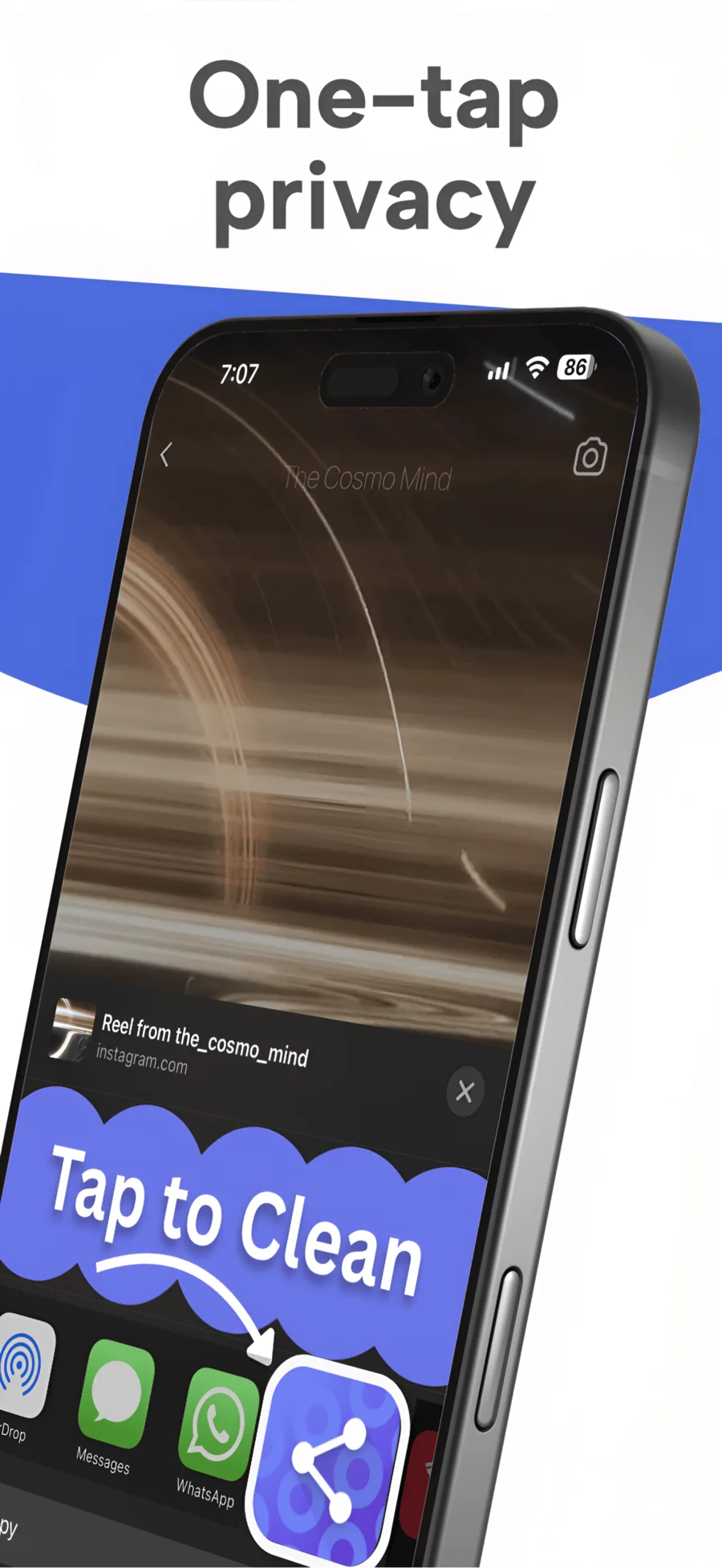
CleanSend works where you already share links. After cleaning, it opens a new Share Sheet with the result, so you can continue to the destination you had in mind.
- Open the page in Safari and tap Share.
- Choose CleanSend in the Share Sheet actions.
- Check the cleaned link in the new Share Sheet.
- Choose Messages, Mail, Notes, or another sharing destination.
Use a custom rule for a familiar site
If you regularly share links from the same service, you may notice an extra campaign parameter that its URLs always include. Add that parameter name to CleanSend’s custom rules once you know what it does.
Keep parameters that choose content or grant access. An invitation token, signed download, product variant, or search query may be part of the useful link. Start with the common tracking tags, then add specific rules for the sites you understand.
Clean copied links too
You do not have to return to Safari when someone sends you a long URL. Paste it into CleanSend’s manual cleaner, then copy or share the result. Local history makes it easy to revisit recently cleaned links.
The benefit is focused: less tracking information carried in the address you pass on, and a cleaner URL for the recipient to read. Safari’s other privacy features continue to handle the browsing side.
Questions
Does Safari remove UTM parameters automatically?
WebKit says its Link Tracking Protection keeps campaign-level parameters while removing known identifiers used for cross-site tracking. CleanSend can remove common UTM tags before you share a URL.
Can I clean a link from another app?
Use CleanSend when that app provides a supported Share Sheet link, or paste the copied URL into the manual cleaner.
Is CleanSend a link shortener?
It cleans the original URL rather than sending it through a shortening service. You keep the destination and remove the selected query parameters.