

Short answer
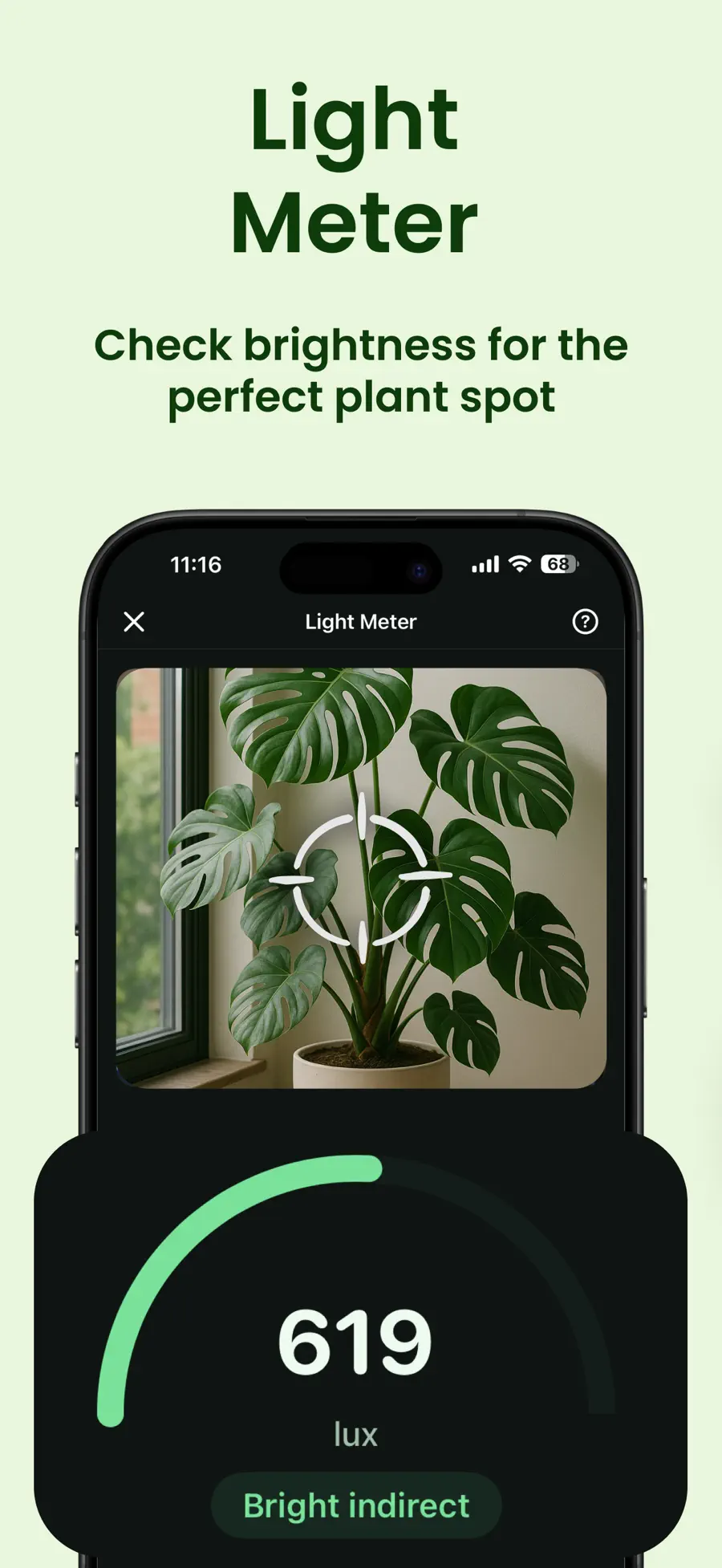
Open Planthy’s Light Meter and take a reading where the plant’s leaves sit. Follow the meter’s positioning instructions, then compare another spot using the same phone and orientation. Repeat at different times of day and use the plant’s care guide to choose a suitable location.
Check the plant’s spot rather than the room
Start at leaf height in the place where the pot normally sits. A reading next to the window tells you about the window, not the shelf across the room. Curtains, nearby buildings, trees, and the direction of the window all affect what reaches the plant.
Follow Planthy’s in-app guidance for positioning the phone. Keep your hand and body from shading the camera, and use the same approach for each spot you compare.
Compare three places before moving the pot
Choose the current spot and two places where you could realistically keep the plant. Check them close together in time so a passing cloud or a changing sun angle does not become the main difference.
Use this small log for your own measurements. The table contains places to compare, rather than preset readings for a room we have not measured.
- Check the light at the current plant position.
- Check the first alternative at a similar leaf height.
- Check the second alternative with the same phone orientation.
- Record the time and whether each spot receives direct sun.
- Compare the spots with the plant’s light preference in Planthy.
| Spot | What to record | What to notice |
|---|---|---|
| Current shelf | Time, lux estimate, and light category | Distance from the window and any shade |
| Desk near the window | Time, lux estimate, and light category | Whether direct sun reaches the leaves |
| A second window | Time, lux estimate, and light category | Curtains, outside shade, and window direction |
Check again when the light changes
One reading captures a moment. A window with strong morning light may be shaded by afternoon. Check the promising spot in the morning, around midday, and later in the day to see its pattern.
University of Minnesota Extension explains that both light intensity and duration matter for indoor plants. Revisit the spot after a seasonal change, moving curtains, or adding a grow light. Keep the time and conditions alongside the number so the comparison stays useful.
Use the reading with the plant’s care guide
Lux describes brightness as perceived by human vision. Planthy estimates it from the camera. That makes the meter useful for comparing places with your phone, while a dedicated PAR meter measures plant-relevant light differently.
Read the plant’s care information before choosing between bright direct sun and bright indirect light. A higher reading is not automatically the better home for every plant. Look for a spot that suits the species, then watch how the plant responds.
Keep light and watering in the same care routine
Moving a plant can change how quickly its soil dries. Once you choose the spot, keep the plant in Planthy’s garden and adjust its watering check-ins around what you observe.
Use plant chat when you want help thinking through a particular setup: name the plant, describe the window, and include what you noticed at different times. The meter gives you a comparison; your garden and reminders turn it into an ongoing routine.
A useful plant-chat question
My plant is on a shelf that gets morning light but is shaded by afternoon. The window-side desk reads brighter on the same phone. Which parts of this plant’s care guide should I compare before moving it?
Questions
Can an iPhone measure light for plants?
Planthy uses the iPhone camera to estimate brightness in lux and show a light category. Use it to compare possible plant locations and follow the in-app positioning guidance.
How often should I check a plant’s light?
Compare several times of day when choosing a spot. Check again when the season, curtains, grow light, or plant position changes.
Does more light always mean a better spot?
Match the spot to the plant. Some plants prefer direct sun; others suit indirect light. Planthy’s care guide helps you compare the reading with the plant’s needs.