

Short answer
Open Domi’s Brain Dump and describe what is on your mind, including any fixed times. The planning assistant suggests tasks you can add to your day. Pick the useful suggestions, arrange them on your timeline, and start a focus session for the first one.
Put the whole list in one place
A brain dump is a quick capture of what is taking up space in your head. It can contain tasks, worries, errands, and half-formed ideas. You do not need to sort it perfectly before writing it down.
Give Domi the details that make a plan useful: the appointment that cannot move, the deadline that matters today, and the time you have available. Here is a sample you can adapt.
Try a brain dump like this
I need to finish the report, reply to Sam, do laundry, buy groceries, and book a dentist appointment. I have a call at 1 pm. I can work from 10 until noon, and the report is due tomorrow.
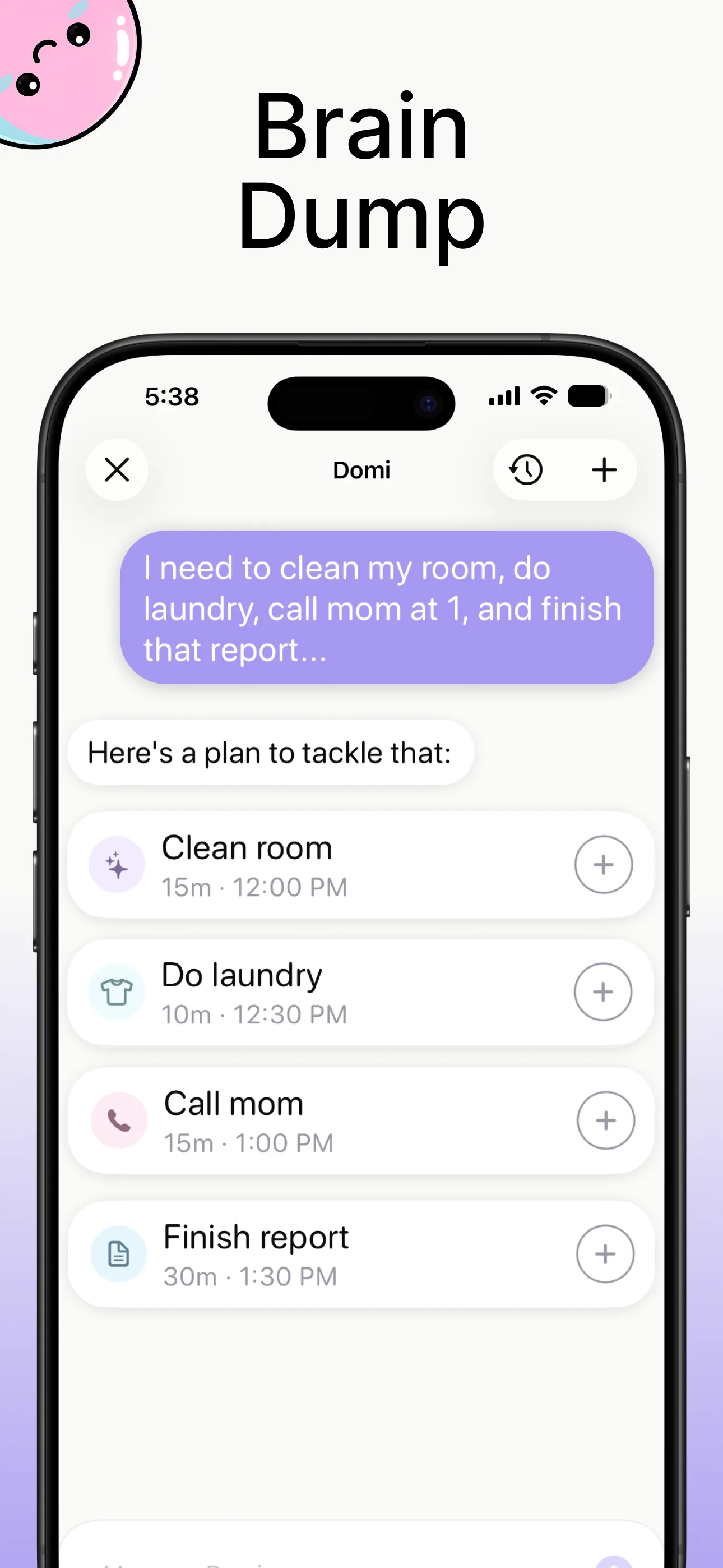
Make each task easy to begin
The assistant gives you a starting point. Make the wording fit the work in front of you. “Finish the report” might be too big for your first block; “Draft the three section headings” gives you a place to begin.
This example shows how to turn the sample list into concrete actions. Use your own deadlines and estimates when adding them to Domi.
| Thought | Task to put in the plan | Where it fits |
|---|---|---|
| Finish the report | Draft the three section headings | First work block |
| Reply to Sam | Answer Sam’s question about the deadline | A short gap |
| Do laundry | Load and start the washing machine | Before a work block |
| Buy groceries | Write the shopping list | Later today |
| Book the dentist | Find the booking number and call | During opening hours |
| Call at 1 pm | Join the 1 pm call | Keep the fixed time |
Build a morning around the time you have
Add the fixed call first. Then schedule the work that moves the report forward. Leave room between tasks so your plan survives a late start or a longer email.
For the sample morning, start the laundry at 10, draft the report headings from 10:10 to 10:35, reply to Sam next, and use the remaining work block for one section of the report. Keep groceries for later. The point is to choose what fits instead of making the whole list compete for the same two hours.
- Write the brain dump with today’s deadline and fixed appointment.
- Add the task suggestions you want to keep.
- Give the first task a clear action and a realistic duration.
- Place it on the timeline alongside your fixed commitments.
- Choose a focus session and begin that task.
Use a short focus session to get moving
Domi’s focus timer runs from 1 to 60 minutes, with ambient sounds and Pomodoro breaks. Choose a session that matches the first action. Ten minutes can be enough to open the document, write the headings, and find the missing information.
When the timer ends, decide what comes next. Continue the task, take a break, or move to the next item. Your plan now contains a visible starting point instead of six thoughts waiting for attention.
Keep the plan useful when the day changes
If the report takes longer, drag the flexible tasks to a later time. Keep the 1 pm call in place. You can come back to the same plan without rewriting the brain dump every time something changes.
Use a routine for structure you repeat, such as a morning start or an evening reset. Brain Dump handles what is new; the timeline and routines help you turn it into a day you can follow.
Questions
What is the difference between a brain dump and a to-do list?
A brain dump captures the thoughts before you organize them. A to-do list contains the actions you choose to keep. Domi connects the two with task suggestions, then adds a timeline and focus timer.
Does Domi add every suggestion automatically?
You choose which suggestions to add. Keep the tasks that fit your day and adjust their wording or timing as needed.
Can I use this when I only have ten minutes?
Yes. Capture the list, choose one small next action, and start a ten-minute focus session. You can schedule the rest later.